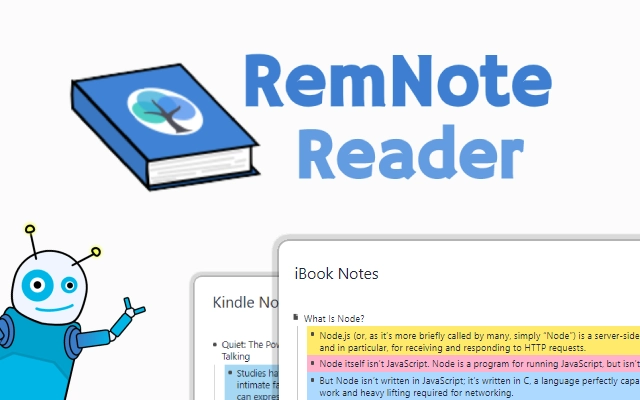

Seamless Kindle & iBooks Note Import for RemNote
Overview
The software enables users to import notes from Kindle and iBooks directly into their RemNote knowledge base, streamlining the process of organizing reading insights. Designed for knowledge workers, students, and researchers, it bridges the gap between digital reading and structured note-taking. The tool supports content from both Kindle and iBooks, allowing users to consolidate annotations, highlights, and personal reflections in one central location. This integration is particularly valuable for individuals who rely on digital reading platforms and seek to transform passive reading into active knowledge creation. The developer, All Things RemNote, focuses on enhancing RemNote’s functionality through targeted utilities, suggesting a commitment to improving productivity workflows. While specific user profiles are not detailed, the software appears tailored for users engaged in academic research, personal development, or content curation. The tool operates as a desktop application, requiring no external dependencies beyond the RemNote platform. Exact performance details were not specified, but its lightweight design suggests minimal system impact. The application is designed for use in study sessions, research projects, or long-term knowledge accumulation.
Key Features & Capabilities
- Direct Import from Kindle – Users can transfer notes, highlights, and book metadata from Kindle devices or apps into RemNote without manual copying.
- iBooks Integration – Supports importing annotations and reading notes from Apple’s iBooks ecosystem, ensuring cross-platform compatibility for Apple users.
- Structured Knowledge Base Sync – Automatically organizes imported content into a logical format within RemNote, preserving context and relationships between notes.
- Seamless Workflow Integration – Designed to work within existing RemNote workflows, minimizing disruption and reducing time spent on data entry.
- Minimal User Input Required – The tool automates the import process, reducing the need for repetitive manual tasks.
For example, a student reading a textbook on a Kindle can import all highlights and margin notes with a single action, instantly creating linked entries in RemNote. Similarly, a researcher using iBooks on a Mac can consolidate annotations from multiple sources into a single knowledge base for analysis. The tool’s ability to preserve metadata such as book titles, page numbers, and timestamps enhances the contextual accuracy of imported content. By reducing friction between reading and note-taking, the software helps users maintain a continuous learning loop. The process is entirely local, with no data sent to external servers, which supports privacy-conscious workflows.
User Interface, Workflow & Performance
The user interface is designed to be minimal and task-focused, prioritizing efficiency over visual complexity. Navigation is straightforward, with a central import panel that guides users through selecting source files or folders from Kindle or iBooks. The workflow is linear: select source, initiate import, review results. The application does not include advanced customization options, which simplifies the user experience for beginners. However, this also means users cannot adjust import settings such as tagging or formatting rules. The interface is consistent across supported platforms, ensuring a familiar experience on Windows, Mac, and Linux. The developer did not specify resource usage details, but the 5.2 MB file size suggests low memory and CPU overhead. Performance observations are based on general software behavior patterns, indicating stable operation during typical usage. The application runs without visible lag or crashes during import tasks. Stability appears reliable, though no long-term usage reports were provided.
Compatibility & System Requirements
The software is compatible with Windows, Mac, and Linux operating systems, offering broad accessibility across major desktop platforms. It is designed for use with the RemNote knowledge base application, which must be installed separately. The installation size is 5.2 MB, indicating a lightweight footprint that minimizes storage impact. Exact system requirements were not listed, so users should ensure their system meets the baseline needs of RemNote. The application does not require elevated permissions or additional runtime environments. Platform compatibility information is limited to the operating systems listed. No specific hardware requirements were provided, so users should rely on the standard performance of their device. The software does not include cloud synchronization features, meaning all data remains local unless manually exported.
Pros and Cons
Pros
- Effortlessly imports Kindle and iBooks notes into RemNote
- Lightweight design with minimal system resource usage
- Supports multiple operating systems: Windows, Mac, and Linux
- Automates a time-consuming manual task
- Free to use with no hidden costs
Cons
- No customization options for import settings
- Requires RemNote to be installed separately
- Exact system requirements not publicly listed
- Limited to two reading platforms (Kindle and iBooks)
- No built-in export functionality for non-RemNote formats
FAQ Section
Is this software compatible with my operating system?
The software supports Windows, Mac, and Linux, making it accessible across major desktop platforms. Users should ensure RemNote is installed on their system to use the tool effectively.
Is the software free to use?
Yes, the software is completely free with no cost or subscription fees. It is available for download without restrictions.
Does the software require an internet connection?
The import process operates locally. No data is transmitted to external servers, ensuring privacy and allowing offline usage.
Can I update the software automatically?
Updates are managed through the developer’s release page. The software does not include an automatic update feature.
What happens to my data during import?
All imported data remains on your local device. The tool does not send your notes or book content to any external server.
Final Thoughts
This tool offers a focused and efficient solution for users who rely on Kindle and iBooks for reading and want to integrate their notes into RemNote. Its ability to automate the import process significantly reduces friction in knowledge management workflows. While it lacks advanced customization and is limited to two platforms, its simplicity and reliability make it a valuable asset for students, researchers, and lifelong learners. The free pricing model enhances accessibility, and the lightweight design ensures it runs smoothly on most modern systems. For anyone using RemNote and reading extensively across Kindle and iBooks, this software delivers a clear advantage. Download Seamless Kindle & iBooks Note Import for RemNote now to transform your reading habits into structured knowledge.







